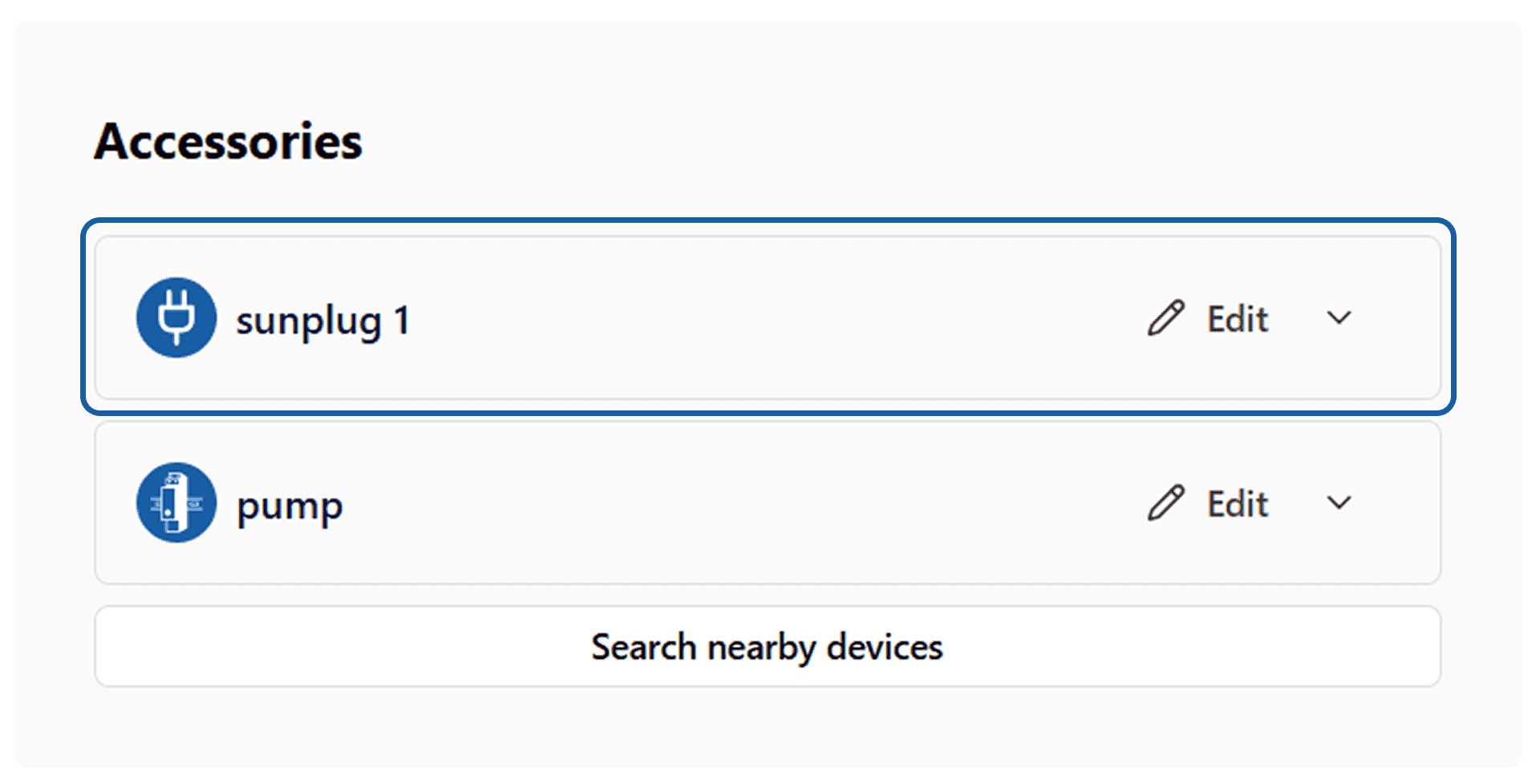
Steps to connect the Sunplug to your EMS device
-
Navigate to the dashboard.
-
From there, go to Settings and scroll down to the Accessories section.
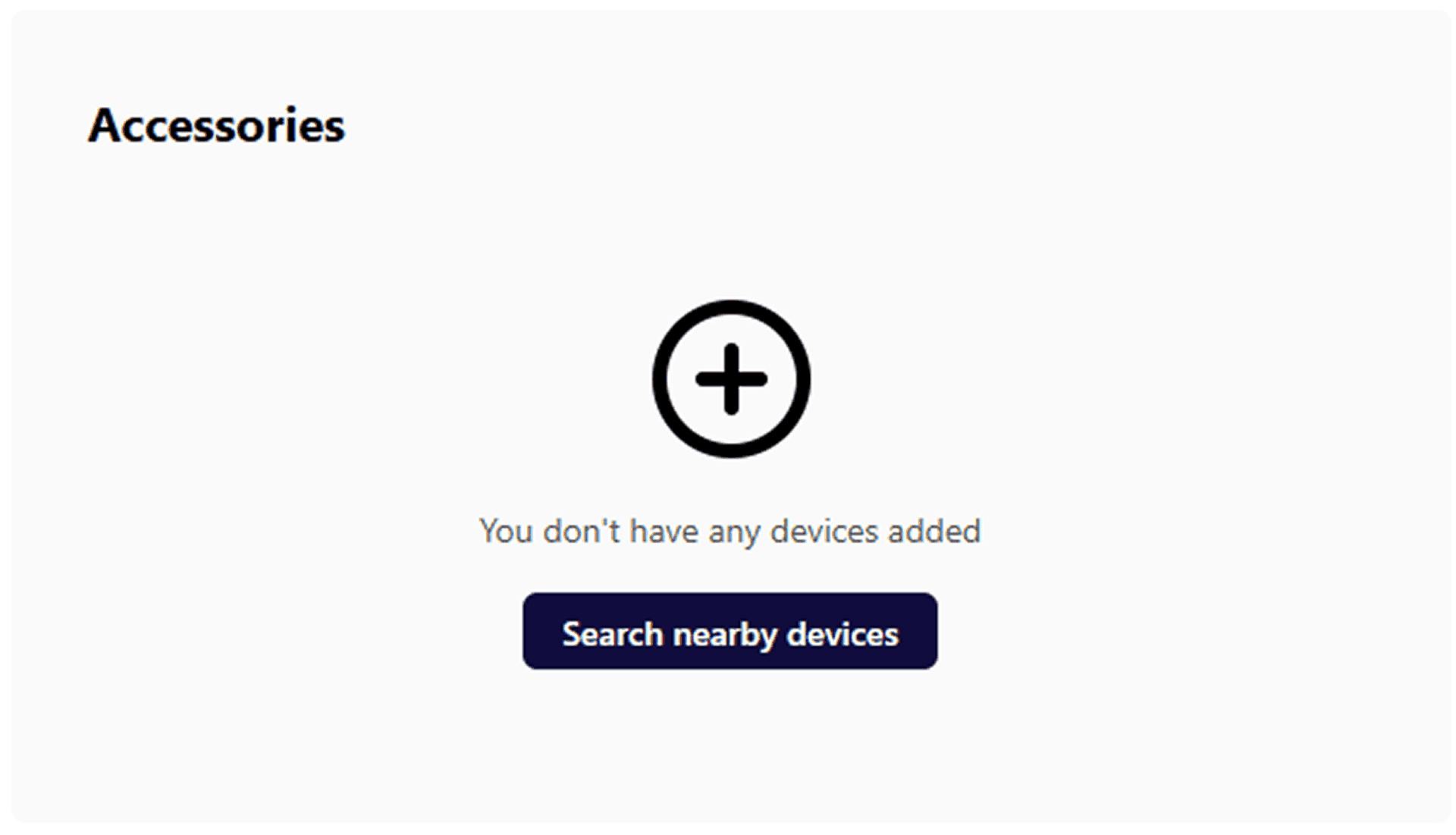
- Click 'Search nearby devices' to find your Sunplug.

Once the search is complete, the Sunplug option will be available. After clicking 'Edit', you will see the additional configuration options.
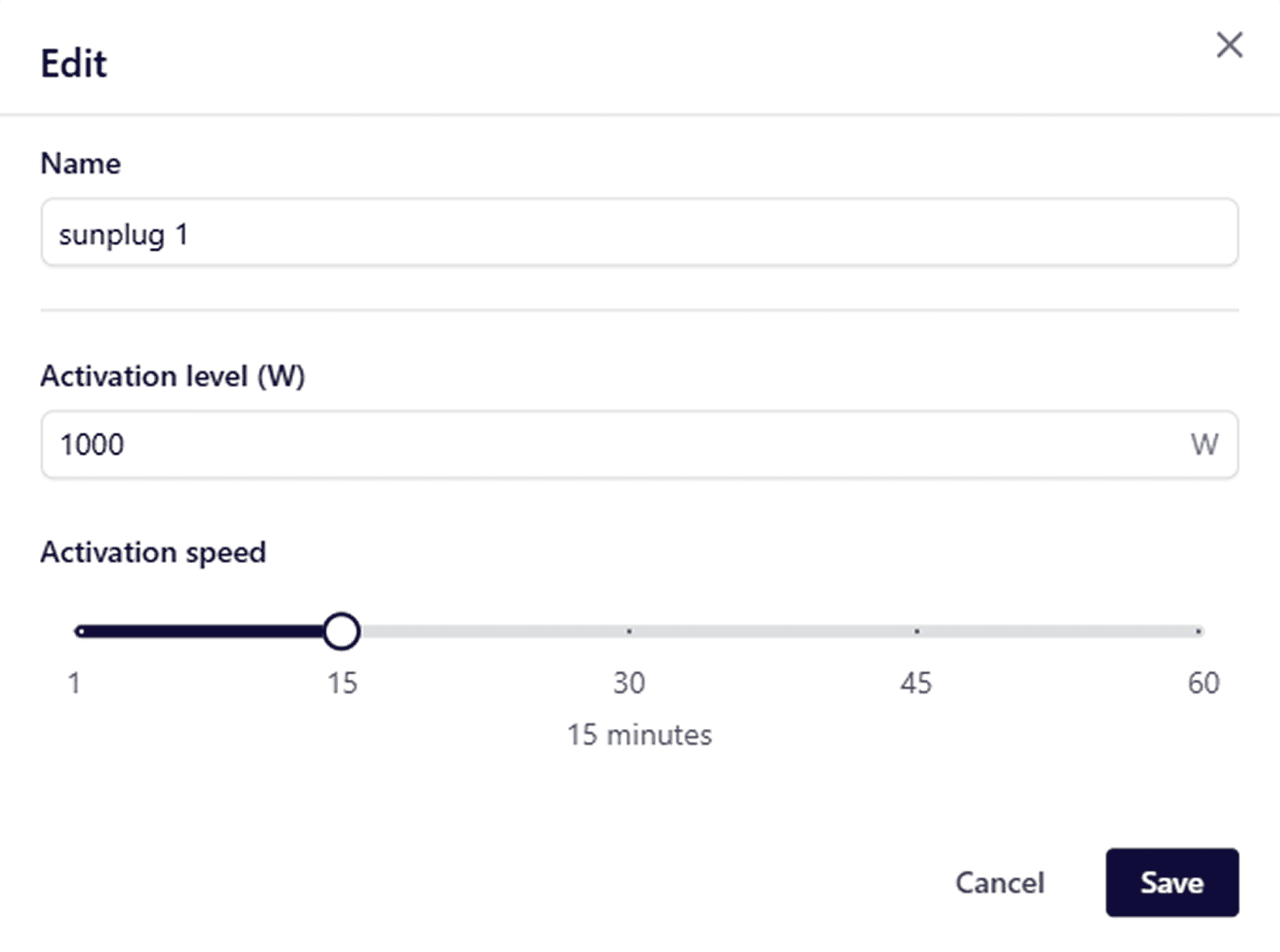
Activation level - amount of extra solar energy needed in order to activate the sunplug
Activation speed - for how long time the solar energy has to be over the activation level in order to turn sunplug on Click 'Save' when you are finished, and the Sunplug will connect to the EMS device and is ready for use.